It’s Friday night. You’ve just settled onto the couch, snacks in hand, ready to dive into that pristine 4K series. Suddenly, the screen freezes, pixels blur into an abstract mess, and the dreaded buffering circle appears, right when the plot was about to thicken. You glance at the kids: one glued to a game, the other scrolling TikTok, while your partner struggles through a video call in the home office. This is confusing. You shelled out good money for a new Wi-Fi 6 router and even upgraded to a gigabit internet plan. Yet, your "super-fast" Wi-Fi still feels like dial-up, and those dead zones haven't magically disappeared.
We've all been there, lured by the promise that faster internet speeds or the latest, most expensive router will magically solve all our Wi-Fi woes. It’s a common misconception, a convenient marketing narrative. But as someone who's spent years in the hardware trenches, I'm here to tell you that fancy new gear often isn't the silver bullet. Your router isn't failing you entirely; it's simply facing environmental realities that no amount of marketing hype can overcome. The truth is, your home Wi-Fi still sucks not just because of your ISP, but because of some fundamental misunderstandings about how Wi-Fi signals actually work.
Let’s talk about those invisible signal saboteurs. Your Wi-Fi signal, for all its digital sophistication, is still a physical wave. It struggles against physical obstacles. Ever tried yelling to someone through a closed concrete door? That's your Wi-Fi signal trying to penetrate solid walls. Studies show that a single plasterboard wall can reduce signal strength by 3-9 dB (decibels), while a brick or concrete wall can gobble up 10-20 dB. What does that mean for you? It means that speedy 500 Mbps connection coming into your living room might only be delivering a paltry 50 Mbps in your bedroom, turning that crisp 4K stream into a pixelated mess.
Beyond solid obstacles, we live in a soup of invisible electronic noise. This is wireless interference. Your neighbor’s Wi-Fi network, your cordless phone, the microwave oven heating up leftovers, even Bluetooth devices – they all compete for airtime on the same frequencies. Imagine trying to have an important conversation in a crowded, noisy restaurant. That's your router trying to talk to your devices amidst a cacophony of competing signals. Your brand-new Wi-Fi 6 router, while capable of handling more traffic, can still get bogged down if it's constantly battling a crowded airspace.
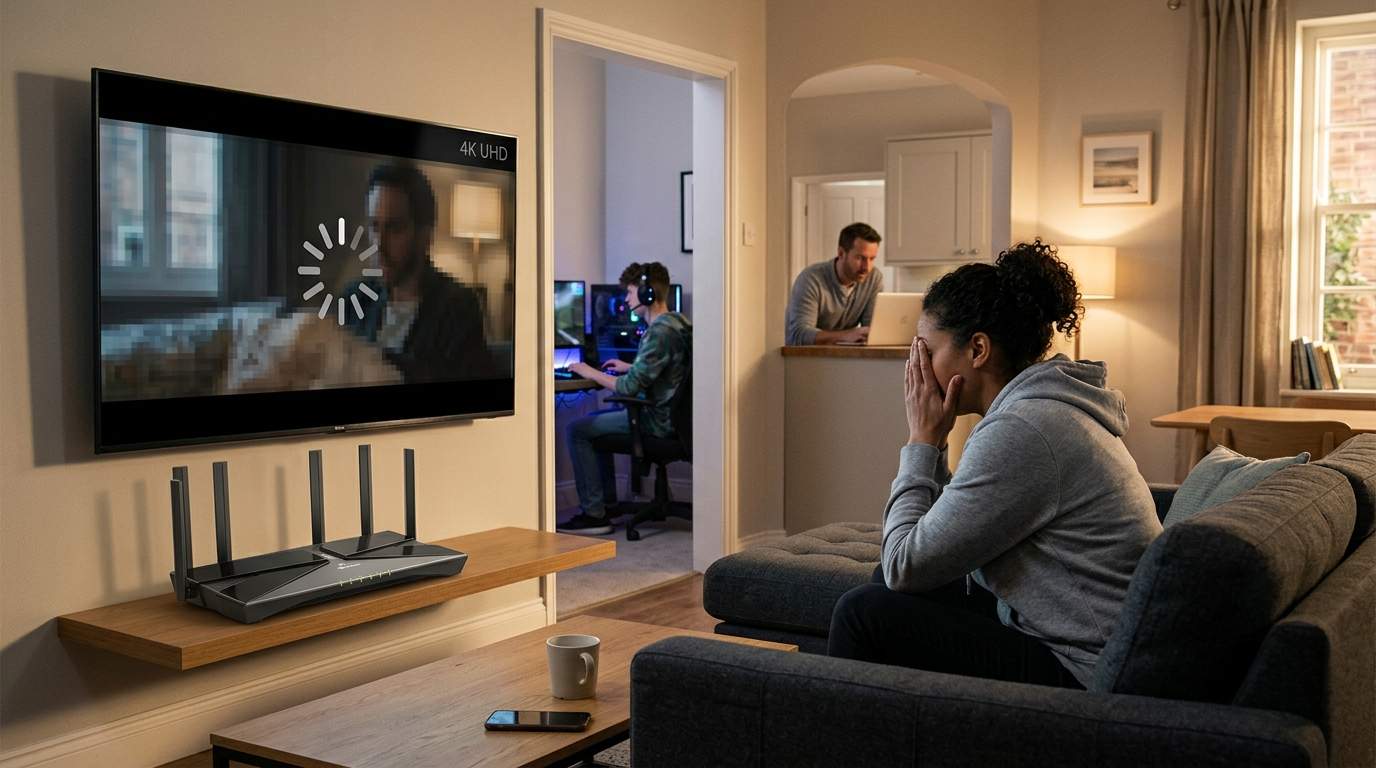
Perhaps the biggest, yet simplest, culprit is router placement. Many of us stash our routers in a corner, behind the TV, or even in a closet, treating them like an ugly necessary evil. This is the equivalent of trying to light up a whole room with a flashlight pointed at the wall. For optimal performance, your router should ideally be placed in a central, elevated location within your home, away from thick walls and large metal objects. Moving your router from a floor-level corner to a central, open bookshelf can, in some cases, double the effective range and significantly improve speeds in distant rooms, transforming sluggish downloads into smooth sailing.
So, if a powerful router alone isn't the answer, what is? Let's be pragmatic.
First, consider a Mesh Wi-Fi System. This isn't just one powerful router; it's a team of smaller, interconnected access points designed to blanket your entire home in seamless Wi-Fi.
- Pros: Excellent for large or multi-story homes, eliminating dead zones entirely. Devices automatically connect to the strongest signal as you move around. Setup is typically very user-friendly. For that large family home with kids gaming upstairs and you on a video call downstairs, a mesh system means everyone gets reliable speed.
- Cons: Can be a more significant investment upfront than a single router. Performance can still be impacted if the wireless links between mesh nodes are weak, though many support wired "Ethernet backhaul" for superior performance.
- Who it’s for: Homeowners with larger properties, multiple floors, or persistent dead zones that a single router can't reach. Not necessary for small apartments.
Next, there's the Powerline Adapter. This clever tech uses your home's existing electrical wiring to extend your network.
- Pros: Easy to set up; just plug one adapter into an outlet near your router and another near your device. Great for extending an internet connection to a specific, hard-to-reach room without running new cables. It's like turning your wall sockets into Ethernet ports.
- Cons: Performance is highly dependent on the quality and age of your home's electrical wiring. It can be inconsistent and may not offer the full speed of your internet plan. Not ideal for mission-critical, high-bandwidth applications like competitive online gaming.
- Who it’s for: People needing a stable connection in a single isolated room, where Wi-Fi struggles and running Ethernet is impossible.
Finally, the undisputed king of reliability: Ethernet Backhaul. This simply means running physical Ethernet cables.
- Pros: Maximum speed, rock-solid stability, zero wireless interference. If you can hardwire your primary devices (gaming console, smart TV, desktop PC) or connect your Mesh Wi-Fi nodes via Ethernet, you'll experience unparalleled performance. This is true "gigabit" speed that you can feel.
- Cons: Requires physical cabling, which can be a hassle to install, especially in existing homes. Not always feasible for every device.
- Who it’s for: Anyone who values absolute performance and reliability. Essential for serious gamers, home offices with heavy data use, or media servers.
Beyond hardware, don't overlook simple software tweaks. Check your router's settings for QoS (Quality of Service). This allows you to prioritize traffic, ensuring your video call takes precedence over a child's game download. Regularly update your router's firmware; manufacturers often release updates that improve stability and performance.
The goal isn't to chase the most expensive gadget, but to build a home network that genuinely supports your digital life. Understanding how Wi-Fi truly works, and applying targeted, pragmatic solutions like strategic placement, Mesh systems, Powerline, or even good old Ethernet, will deliver the consistent, high-speed connection you truly need. Don't let your fancy new router lie to you; empower yourself to optimize your own digital kingdom.